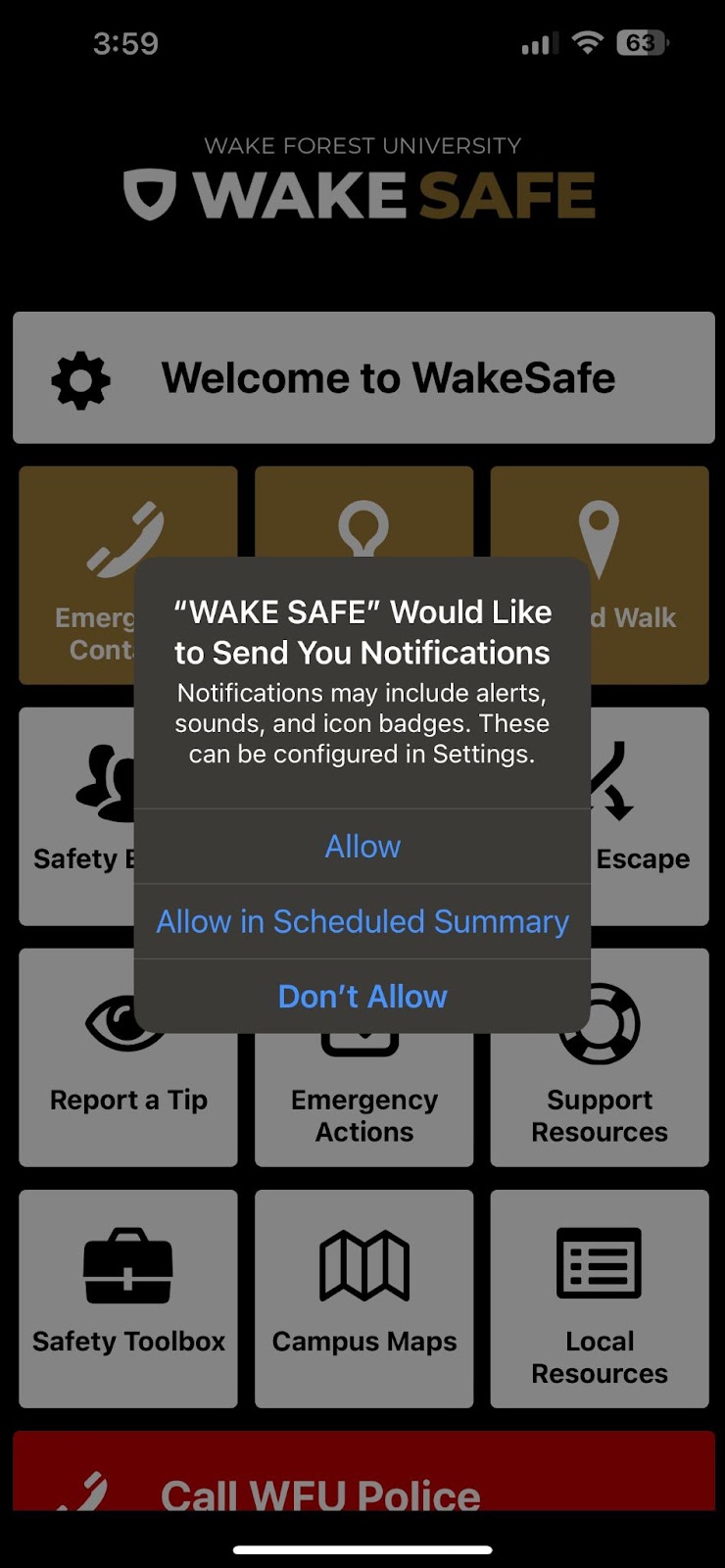
Wake Safe Notifications

Wake Safe Notifications
Anyone can sign up for to receive Wake Alert emergency notifications through the Wake Safe app, including family members and community members.
Activating notifications
- Search for and download the Wake Safe app on your mobile device in the app store (Apple or Android).
- You will see a popup asking you to Allow Notifications. Tap Allow.
- Once you have downloaded Wake Safe and enabled notifications, if a campus alert is issued, you will receive a notice on your mobile device.
Verify that you will receive alerts on your mobile phone
- In your phone’s Settings, go to Wake Safe and ensure that you have selected Allow Notifications (we encourage you to select Immediate notifications and to allow both Sounds and Badges).